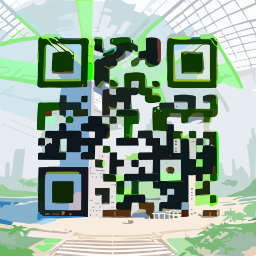
説明
Introduction to QR Code AI ⌘ in 2026
QR codes have evolved from simple black-and-white squares into powerful marketing tools. In 2026, the need for visually engaging, trackable, and dynamic QR codes is greater than ever. QR Code AI ⌘ emerges as a frontrunner, offering an AI-powered platform that blends aesthetics with functionality. Whether you're a marketer aiming to boost campaign conversions, a small business owner streamlining customer interactions, or a developer embedding intelligent codes into apps, QR Code AI ⌘ delivers a seamless experience. This comprehensive review explores its capabilities, compares it with alternatives like AIqrhub, and provides actionable insights to determine if it fits your workflow.
Key Features of QR Code AI ⌘
AI-Driven Design Intelligence
The standout feature is its AI engine, which goes beyond basic color changes. When you input a URL or text, the AI analyzes the content and suggests design elements—colors, icons, and shapes—that align with the context. For instance, a link to a restaurant menu automatically gets warm tones and food-related icons, while a donation page receives a clean, trustworthy aesthetic. The AI also fine-tunes error correction levels to ensure high scannability even in challenging environments. This level of contextual customization is rare among QR code generators, making QR Code AI ⌘ a leader in intelligent design.
Dynamic QR Codes with Real-Time Analytics
Static codes are a thing of the past. QR Code AI ⌘ supports dynamic QR codes on all paid plans, allowing you to change the destination URL without reprinting. What truly sets it apart is the depth of analytics: real-time data on scan count, location (city-level), device type, operating system, and time of day. The data is presented in an intuitive dashboard, enabling you to measure campaign performance at a glance. You can also set UTM parameters directly within the tool to integrate with Google Analytics, although native integration is not available yet.
Over 300 Industry-Specific Templates
Design is made easy with a library of 300+ pre-designed templates categorized by industry—retail, hospitality, education, events, and more. Each template is fully customizable using a drag-and-drop editor. You can incorporate brand colors, upload your logo in high-resolution formats (PNG, JPG, SVG), and apply frames or custom graphics. The editor requires zero design skills, yet produces print-ready, 300dpi output for professional use.
Batch Generation and API Access
For large-scale deployments, QR Code AI ⌘ offers batch generation via CSV or Excel upload, supporting up to 10,000 codes per batch. This is ideal for product labeling, event ticketing, or multi-location campaigns. Developers can leverage a full-featured REST API with SDKs for Python, JavaScript, and PHP. The API allows programmatic creation, updating, and deletion of codes, as well as retrieval of scan statistics. Documentation is clear, and sample code is provided to speed up integration.
Security and Compliance
Data privacy is a core concern. QR Code AI ⌘ is GDPR and CCPA compliant. You can add password protection to codes, set expiration dates for time-sensitive campaigns, and encrypt all links. Analytics data is anonymized and stored securely. This makes the tool suitable for industries like healthcare and finance where compliance is mandatory.
How QR Code AI ⌘ Compares to AIqrhub
Both QR Code AI ⌘ and AIqrhub leverage AI for QR code generation, but they cater to different user segments. While AIqrhub is praised for its affordability and simplicity—especially among developers who need quick, no-frills codes—QR Code AI ⌘ excels in design richness, analytics depth, and ease of use for non-technical users. Below is a detailed comparison table.
| Feature | QR Code AI ⌘ | AIqrhub |
|---|---|---|
| Starting Price | Free tier (3 static codes/month); paid plans from $9/month | From $1 (limited features); full plan from $12/month |
| AI Design Engine | Advanced (context-aware suggestions, style transfer) | Basic (color and icon overlay) |
| Dynamic Codes | Yes (all paid plans) | Yes (higher tiers only) |
| Analytics Depth | Real-time, city-level, device, time | Country-level, limited history |
| Templates | 300+ industry-specific | 50+ generic |
| API & Bulk Generation | Full API, batch up to 10k codes | API available, batch up to 1k codes |
| Best For | Design-forward marketers, SMBs, agencies | Developers needing lightweight, low-cost solution |
| Customer Support | 24/7 chat, email, knowledge base | Email only (business hours) |
When comparing with other AI tools in the space, such as QuickQR AI or AIQR Studio, QR Code AI ⌘ holds its ground with superior analytics and design features. However, for users who prioritize cost and are comfortable with minimal design requirements, AIqrhub remains a compelling alternative.
Step-by-Step: Creating Your First QR Code with QR Code AI ⌘
- Sign Up: Visit the QR Code AI ⌘ website and create a free account—no credit card required.
- Choose Code Type: Select static or dynamic. Dynamic is recommended for flexibility and analytics.
- Enter URL or Text: Paste your link or message. The AI will automatically suggest a theme based on content.
- Customize Design: Pick a template or start from scratch. Adjust colors, add your logo, and apply frames. Preview the code in real-time.
- Set Tracking (Optional): Add UTM parameters or enable analytics to track scans.
- Generate & Download: Choose from PNG, SVG, EPS, or PDF formats. High-resolution print-ready files are available on paid plans.
- Share or Embed: Copy the direct link or embed the code on a webpage using the provided HTML snippet.
Use Cases & Benefits
- Marketing Campaigns: Create branded QR codes for flyers, billboards, and social media that blend with your visual identity. Use dynamic codes to A/B test different landing pages.
- Restaurants & Hospitality: Digital menus, feedback forms, and Wi-Fi login codes that look elegant and match the restaurant's theme.
- Event Management: Ticketing, check-in, and donation codes with real-time attendance tracking. The batch generation feature is perfect for large events.
- Product Packaging: Direct customers to instructional videos, warranties, or loyalty programs without cluttering the package. Use analytics to see which products generate the most scans.
- Education: Teachers can generate codes linking to assignments, resources, or interactive quizzes. The password protection feature ensures only enrolled students access sensitive materials.
Pricing Overview
QR Code AI ⌘ offers a free tier that includes 3 static codes per month with no analytics. For professional use, paid plans start at $9/month (Basic: 100 dynamic codes, 5,000 scans/month, full analytics), $19/month (Pro: 500 dynamic codes, 50,000 scans, batch upload), and $49/month (Agency: unlimited codes, 500,000 scans, API access, and priority support). Annual billing provides a 25% discount. All paid plans include all design features, high-resolution downloads, and UTM support. Compared to AIqrhub's $12/month full plan, QR Code AI ⌘ offers better design customization and analytics depth at a competitive price point.
Conclusion
QR Code AI ⌘ is a powerful, AI-first QR code generator that balances beauty and function. Its robust analytics, intelligent design suggestions, and ease of use make it ideal for marketers and businesses who want their codes to look good and work even better. For developers on a tight budget, AIqrhub remains a viable alternative, but for anyone serious about brand consistency and data-driven campaigns, QR Code AI ⌘ is the clear winner in 2026. Overall, it's a tool that adapts to your needs, whether you're creating a single code for a storefront or thousands for a global campaign.
長所
- Exceptional AI-driven design suggestions that maintain scannability.
- 300+ professional templates covering diverse industries.
- Real-time
- granular analytics (city
- device
- time) on all paid plans.
- Dynamic codes with link editing
- expiration
- and password protection.
- Full-featured API with SDKs for rapid integration.
- Batch generation of up to 10
- 000 codes with CSV support.
- High-resolution downloads (up to 300dpi for print).
- Free tier allows testing without commitment.
- 24/7 customer support with prompt responses.
短所
- Free tier severely limits scans and static only (3 codes/month).
- Price jump from free to $9/month may be steep for casual users.
- Advanced analytics require the Pro plan ($19/month) for city-level data.
- No native integration with Google Analytics or Facebook Pixel (manual UTM needed).
- Mobile app not available – web-only interface.
- Some templates are not fully editable for shapes (e.g.
- cannot modify the eyes).