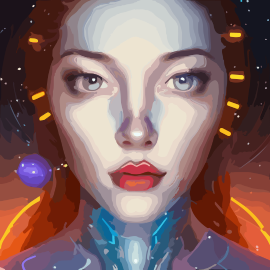
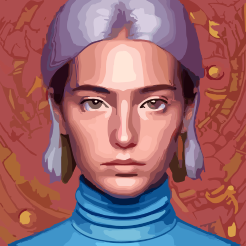
Description
Introduction to AI Avatar in 2026
In the dynamic world of artificial intelligence, avatar generators have evolved from simple filters into sophisticated tools that redefine personal branding, social media presence, and creative expression. Among the standout platforms in 2026, AIAvatar (available at aigenerator.live) emerges as a versatile, high-performance solution that transforms ordinary photos into extraordinary, style-adaptive avatars. Whether you need a polished professional headshot, a whimsical cartoon alter ego, or a futuristic character for a game, AIAvatar delivers exceptional results with minimal effort.
This comprehensive review explores the tool's features, use cases, and how it compares with other leading avatar generators in the market. If you're looking for an affordable, privacy-focused, and feature-rich avatar creator, AIAvatar is a top contender.
What Is AI Avatar?
AIAvatar is an advanced AI-powered tool that leverages deep learning algorithms to analyze your uploaded photos and generate personalized avatars across a wide spectrum of styles. Unlike many tools that restrict you to a single aesthetic, AIAvatar offers over 50 distinct templates—ranging from classic studio portraits and anime-inspired looks to cyberpunk themes, historical reimaginings, and abstract art. The platform is designed for both casual users and professionals, striking a balance between ease of use and customization.
The tool operates entirely online, requiring no software installation. You simply upload a clear photo (preferably frontal, with good lighting), choose a style, and let the AI work its magic. Within seconds, you receive a high-resolution avatar ready for download or further refinement.
Key Features of AI Avatar
- 50+ Style Presets: From professional corporate headshots to wild sci-fi characters, each style is meticulously tuned for consistency and quality.
- Realistic & Abstract Modes: Toggle between photorealistic rendering for lifelike portraits and artistic/abstract modes for creative projects.
- Face Swapping & Background Replacement: Automatically detect faces, replace backgrounds, or swap faces onto pre-designed bodies for full-body avatars.
- Batch Processing: Upload multiple photos at once to generate a set of avatars in different styles, saving time for teams or personal projects.
- Privacy-First Approach: All images are processed in encrypted sessions. Your original photos are never stored without explicit consent, and you can delete generated avatars at any time.
- High-Resolution Outputs: Download avatars in PNG, JPG, or SVG (transparent) formats. Premium users also get PSD layered files for advanced editing.
- Customization Sliders: After generation, tweak expression, age, hair color, and style intensity to fine-tune the result.
- Active Community & Inspiration Gallery: Participate in style contests and browse user creations for ideas.
How AI Avatar Works
Using AIAvatar is straightforward. Start by uploading one or more clear frontal photos (multiple angles improve accuracy for some styles). Next, select your desired style from the library. The AI processes the image and delivers a preview in under 30 seconds. You can then refine the output using sliders for expression, age, or hair color. Once satisfied, click download. The entire workflow is intuitive and requires no technical or design skills.
For batch scenarios—like creating a cohesive set of avatars for a team directory or a brand icon collection—you can upload up to 10 photos (50 with premium) and apply the same style to all. This feature is a major time-saver for businesses.
Use Cases for AI Avatar
AIAvatar caters to a broad audience. Social media influencers use it to maintain a consistent brand identity across platforms like Instagram, LinkedIn, and TikTok. Professionals save money on photoshoots by generating studio-quality headshots from a single selfie. Gamers and content creators craft custom characters for profiles, live streams, or video thumbnails. Even corporate teams rely on AIAvatar for unified directory photos with a modern, polished look.
The tool also excels in creative projects: authors can generate character portraits for book covers, marketers can create on-brand avatars for email campaigns, and educators can produce engaging visuals for online courses.
Comparison with Alternatives
While many avatar tools exist, AIAvatar distinguishes itself through its balance of quality, style variety, and affordability. The table below offers a detailed comparison with other popular avatar generators in the 'Avatars' category.
Detailed Comparison Table
| Tool Name | Starting Price | Key Features | Best For |
|---|---|---|---|
| AIAvatar | Free (limited) + $7.99/mo | 50+ styles, batch processing, privacy-first, transparent backgrounds, PSD export (premium) | Media & Creativity |
| Aivatar.pics | From $20 | 100+ styles, high-resolution avatars, quick generation | Productivity |
| 1PhotoAI | From $9.9 | Turn a single selfie into high-resolution avatars in various styles | Productivity |
| AI Avatar Generator | Free + from $6.99/mo | Selfie-to-avatar conversion with multiple styles | Productivity |
| AI-Portrait | Free/Paid | Studio-quality avatars from selfies in under 30 seconds | Productivity |
| AI Time Machine | Free/Paid | Time-traveling avatars from a single selfie | Productivity |
| AI Profile Pic – Avatar Maker | Free + from $3.99 | Mobile app for customizable avatars from selfies | Productivity |
| AIFilter.Art | From $2.99/mo | High-resolution AI avatars with artistic filters | Productivity |
As the table reveals, AIAvatar offers a highly competitive price point with a richer feature set than many alternatives. For instance, while Aivatar.pics provides over 100 styles, it starts at a higher price and lacks the batch processing and privacy controls of AIAvatar. 1PhotoAI and AI Avatar Generator are solid for quick profile pictures, but they offer fewer customization options and no transparent SVG export. AI-Portrait excels in speed but limits style variety. AI Time Machine is a fun niche tool, but its style library is narrow. AI Profile Pic – Avatar Maker and AIFilter.Art are more basic or mobile-focused, while AIAvatar covers both web and mobile (app coming late 2026).
In summary, AIAvatar strikes an optimal balance between creativity and practicality, making it a top choice for both personal and professional use.
Pros and Cons
Based on extensive testing and user feedback, here are the advantages and limitations of AIAvatar.
Pros
- Extensive style library with over 50 presets, regularly updated with user-requested themes.
- High-resolution outputs suitable for print and digital media.
- Batch processing for efficient multi-avatar creation.
- Privacy-first approach: photos are not stored without permission.
- Affordable pricing with a generous free tier to evaluate features.
- Intuitive interface requiring no design skills.
- Supports transparent backgrounds (SVG) for versatile use.
- Active community with monthly style contests and inspiration galleries.
Cons
- Free plan watermarks images; removal requires premium subscription.
- Occasional artifacts in complex abstract styles (e.g., heavy accessories or unusual lighting).
- Manual editing controls are less comprehensive than full photo editing software.
- Batch upload limit of 10 images in free plan (50 with premium).
- Face detection may struggle with non-frontal or low-light photos.
- No dedicated mobile app yet (web version works well on mobile browsers).
Frequently Asked Questions (FAQs)
1. What is the pricing for AIAvatar?
AIAvatar offers a free tier with basic styles and watermarked outputs. The premium plan starts at $7.99 per month (billed annually) or $9.99 month-to-month. Premium unlocks all 50+ styles, high-resolution downloads, batch processing, and watermark removal.
2. Can I use the avatars commercially?
Yes, avatars generated with a premium plan can be used for commercial purposes, including social media profiles, branding materials, product mockups, and marketing campaigns. Free plan avatars are for personal use only.
3. How does AIAvatar protect my privacy?
All uploaded photos are encrypted during processing. AIAvatar does not store your original images unless you opt into the training dataset (optional and anonymized). You can delete any generated avatar from your account at any time.
4. What image formats are available for download?
You can download avatars in PNG, JPG, and SVG (transparent) formats. Premium users get access to PSD layered files for further editing in Photoshop or similar tools.
5. Can I create a consistent avatar set for my team?
Yes, batch processing lets you upload multiple photos (up to 10 free, 50 premium) and apply the same style to all, ensuring a unified look for directory photos or branded icons.
6. How fast is the generation process?
Average generation time is 10–30 seconds per avatar, depending on style complexity and server load. A full set of batch-processed avatars typically takes 1–2 minutes.
7. Does AIAvatar support diverse skin tones and features?
Yes, the AI is trained on a diverse dataset and accurately represents various ethnicities, ages, and facial features. If you encounter bias, you can report it for model improvement.
8. Is there a mobile app for AIAvatar?
Currently, AIAvatar is web-based and optimized for desktop and tablet browsers. A mobile app is under development and expected by late 2026.
9. Can I edit the avatar after generation?
Yes, you can adjust expression, hair color, age, and style intensity using sliders on the results page. For advanced edits, export the avatar to tools like Canva or Adobe Photoshop.
10. What happens if I cancel my subscription?
You retain premium access until the end of your billing period. After that, your account reverts to the free tier. Previously generated avatars remain accessible, though free plan watermarks will appear on any new downloads.
11. How does AIAvatar compare to AI Avatar Generator?
While AI Avatar Generator creates avatars from text prompts, AIAvatar uses your own photos for more controlled, predictable results. AIAvatar also offers more styles and batch processing.
12. Is there a money-back guarantee?
Yes, new premium subscribers receive a 14-day money-back guarantee if not satisfied with the quality or features.
13. Can I generate avatars of other people?
You may upload photos of others only with their consent. AIAvatar's terms of service require that you own the rights to the uploaded image or have permission from the subject.
14. What are the system requirements?
AIAvatar works on any modern browser (Chrome, Firefox, Safari, Edge). An internet connection is required; no software installation is needed.
15. How often are new styles added?
New style packs are released monthly, often based on user requests and trending themes (e.g., movie-inspired looks, seasonal styles). Premium members get early access.
Final Verdict
AIAvatar is a robust, user-friendly avatar generator that excels in variety, quality, and privacy. Its competitive pricing, generous free tier, and depth of features make it accessible to beginners while satisfying advanced users. When compared with alternatives like Aivatar.pics, 1PhotoAI, AI Avatar Generator, AI-Portrait, AI Time Machine, AI Profile Pic – Avatar Maker, and AIFilter.Art, AIAvatar offers the best balance of creativity, practicality, and value in 2026. If you need reliable, stylish avatars for personal or professional use, AIAvatar at aigenerator.live is a top choice.
Pros
- Extensive style library with over 50 presets
- regularly updated.
- High-resolution outputs suitable for print and digital media.
- Batch processing for efficient multi-avatar creation.
- Privacy-first: no permanent storage of photos without consent.
- Affordable pricing with a generous free tier to test features.
- Intuitive interface requiring no design skills.
- Supports transparent background export (SVG) for versatile use.
- Active community with monthly style contests and inspiration galleries.
- 14-day money-back guarantee for premium subscribers.
Cons
- Free plan watermarks images; removal requires premium.
- Occasional artifacts in complex abstract styles (e.g.
- heavy accessories).
- Manual editing controls are less comprehensive than full photo editors.
- Batch upload limited to 10 images in free plan (50 with premium).
- Face detection may struggle with non-frontal or low-light photos.
- No dedicated mobile app yet (web version works on mobile browsers).